I have been looking at adding Ecommerce to my websites and been doing some research in this regard. So let’s discuss Woocommerce Vs Shopify for Ecommerce.
If you’re getting into ecommerce or looking to switch platforms, WooCommerce and Shopify are two names you’ll see everywhere. Both are super popular, but they each come with their own pros, cons, and quirks. If you’re trying to figure out which one fits your business and whether you can mix your ecommerce store with affiliate marketing, I’ve got a full breakdown that should help.
WooCommerce plugs into WordPress, making it a favorite for anyone already using that platform. Shopify, on the other hand, is a hosted service that aims to make building, launching, and managing a store as easy as possible—even if you have zero tech skills.
I’ve seen people grow strong businesses on both, so picking one really comes down to your goals, skills, and budget. Here’s my all-in-one take on WooCommerce vs Shopify for ecommerce, including how they work with affiliate marketing.
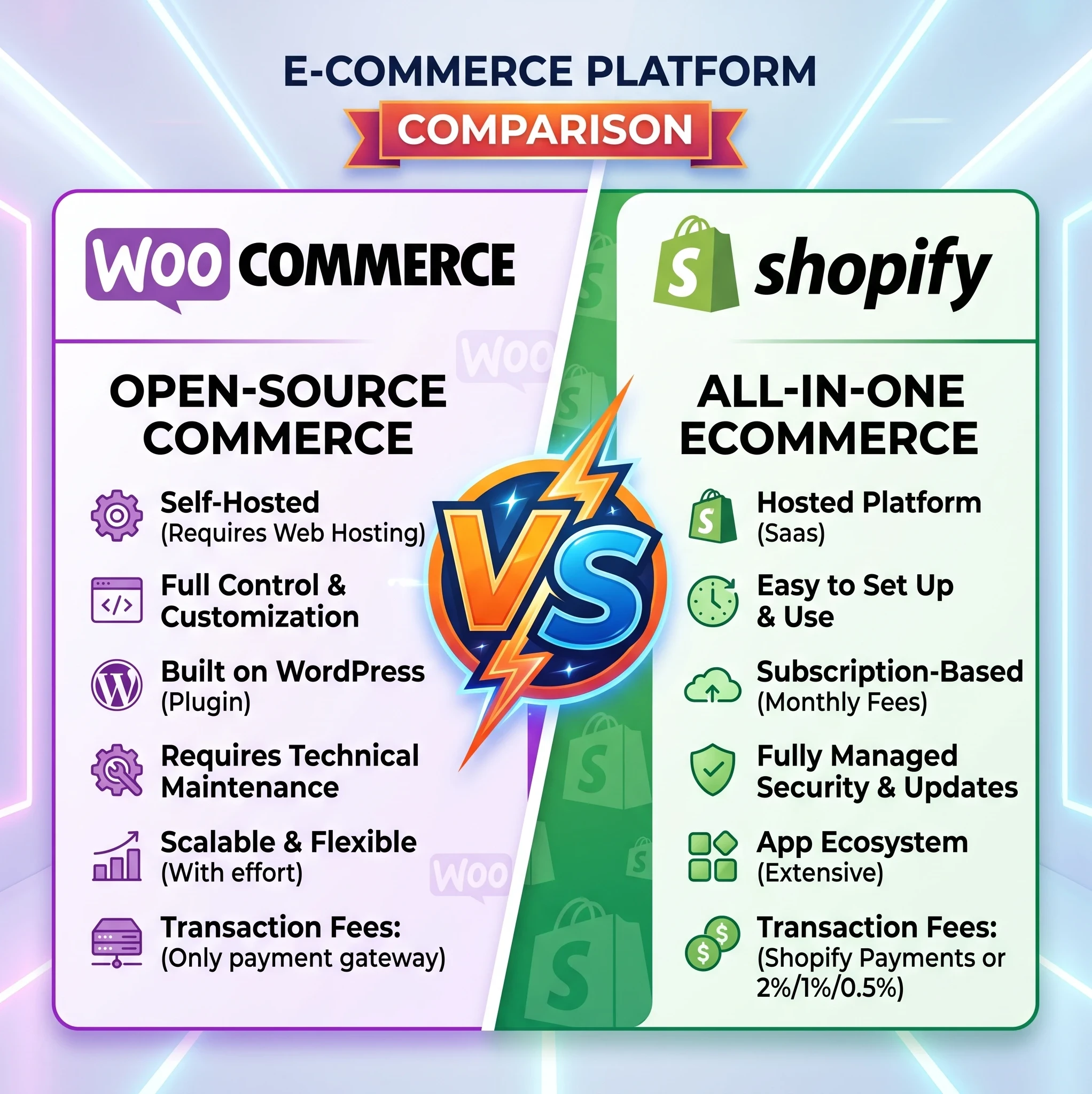 Woocommerce Vs Shopify For Ecommerce
What is WooCommerce?
WooCommerce is a free ecommerce plugin for WordPress that lets you transform any WordPress site into a fully functioning online store. Since it’s open source, you get a lot of flexibility. You own your content and have loads of options for themes and plugins, making it easy to build a store that fits your personality or business branding goals.
Who Uses WooCommerce?
- People comfortable with WordPress or who already have a WordPress site
- Shop owners who want maximum flexibility and full control
- Businesses wanting to tweak every detail, from design to functionality
WooCommerce Pros & Cons
Pros:
- Completely customizable and open source
- Huge community and thousands of plugins
- No monthly fee (but expect costs for hosting and extras)
- Easy to blend content, affiliate marketing and commerce (great for blogging and SEO)
Cons:
- Needs self hosted WordPress (adds complexity)
- Upkeep is on you (updates, security, backups, etc.)
- Advanced customization may require technical know-how
- Can get expensive as you add premium themes, plugins, and reliable hosting
What is Shopify?
Shopify is a hosted ecommerce platform designed to simplify everything, from setup to inventory to payments. It handles hosting, security, and updates. All you do is pay a monthly fee and focus on your business. That peace of mind is a huge draw for folks who just want to sell instead of dealing with servers or software updates.
Who Uses Shopify?
- Product sellers who want something quick and easy
- People who don’t want to mess with code or tech headaches
- Businesses who want a solution that scales with them easily
Shopify Pros & Cons
Pros:
- Super simple setup, no coding needed
- Hosting, security, and upgrades handled for you
- 24/7 customer support
- Lots of clean, responsive store themes
Cons:
- Monthly fees (plus extra for premium apps/themes)
- Limited design flexibility compared to WooCommerce
- Exporting data can be tricky if you ever want to leave
- Transaction fees unless you use Shopify Payments
Key Feature Comparisons
- Setup & Ease of Use
Why It’s Important: Most people want to get their store up and running without headaches. -
- WooCommerce: Needs a bit more work to install WordPress, WooCommerce, pick a host, and fit together plugins. Not super difficult, but not plug and play either. If you already have experience with WordPress, this will feel second nature, but beginners may hit a learning curve.
- Shopify: A fully guided process. Sign up, pick a theme, load your products, and start selling. Everything lives under one dashboard, offering a really streamlined experience. Even if you’re new to building websites, you’ll likely be up and running in a single afternoon.
- Design & Customization
Why It’s Important: Branding helps stores stand out, and some businesses need special features or layouts. -
- WooCommerce: Insanely customizable. Choose any WordPress theme or create your own. Tweak everything from checkout to product pages if you have the know-how. With so many themes and plugins, nearly every idea is possible, especially if you like to get your hands dirty.
- Shopify: Good selection of store themes, most of which look eye-catching on any device. Some limits to how much you can tweak the core experience, but plenty of flexibility for most shops. Plus, premium themes give you even more control.
- Ongoing Maintenance
Why It’s Important: Regular updates and backups keep your store running smoothly. -
- WooCommerce: Updates and backups are your responsibility, so staying sharp with maintenance is key. You’re in the driver’s seat for security and performance. Consider using backup tools and solid hosting for peace of mind.
- Shopify: Handles all security and platform updates automatically. One less thing to worry about; Shopify keeps your store patched and protected in the background.
- Cost & Pricing Model
Why It’s Important: Budget impacts everything, from your monthly income to your ability to scale. -
- WooCommerce: Free to start, but you’ll pay for hosting, possibly themes, plugins, and any development help. Costs can be as low as a few bucks a month or much more, depending on what you add. Be ready for some research to keep things budget friendly.
- Shopify: Flat monthly cost (starts at $39 USD/month), plus transaction fees if you don’t use Shopify Payments. Paid apps and premium themes are extra. Predictable pricing is a bonus for planning.
- Payment Options & Fees
Why It’s Important: Getting paid smoothly helps your business grow. -
- WooCommerce: Works with loads of payment gateways. No extra transaction fees outside what your payment provider charges. You can accept credit cards, PayPal, and more, which gives you and your customers plenty of choices.
- Shopify: Built-in payment processor (Shopify Payments), but charges a fee if you use other gateways. International sellers will appreciate Shopify’s support for multiple currencies.
Affiliate Marketing Integration: Can You Do Both?
Combining ecommerce with affiliate marketing is a pretty common approach, especially if you want to promote other products alongside your own. Here’s how each platform handles the mix.
- WooCommerce: Super flexible for affiliate marketing. You can list affiliate products right alongside your own inventory, create content-driven pages, and add affiliate links wherever fits. Tons of plugins can help automate link cloaking, reporting, and more. Many bloggers stick to WooCommerce for this reason because of its great SEO and affiliate integration features.
- Shopify: Does support affiliate marketing, but with more restrictions. You can add affiliate products by creating noninventory listings or using apps from the Shopify store. However, Shopify’s core system is built for selling your own products. Affiliate features can sometimes feel patched together and rely on third party add-ons.
User Reviews & Community Reputation
- WooCommerce: Applauded for flexibility and control, but some find it time consuming to set up and maintain, especially without tech experience.
- Shopify: Loved for its simplicity and support, but some users wish for more customization without extra app costs.
Overall Reputation: Both platforms are well liked for different reasons. WooCommerce makes sense if you want flexibility, blending content and sales, or have affiliate ambitions. Shopify is king for those who value simplicity and just want to focus on selling.
Final Take: Which Should You Choose?
The decision really comes down to your goals, skills, and how handson you want to be.
Go WooCommerce if you:
- Want full ownership and flexibility
- Plan to blend affiliate marketing and ecommerce
- Are already running a WordPress site or enjoy tinkering
Go Shopify if you:
- Want the fastest and easiest way to run an online store
- Like having support available 24/7 for tech hiccups
- Don’t want to think about hosting or backups
There’s no single answer, but choosing the right platform up front can save you a lot of time and frustration as your ecommerce and affiliate business grows. For a deeper look at plugin options, cost breakdowns, and affiliate integration tips, check the official WooCommerce features page and Shopify’s app store. If you’re ready to jump into ecommerce, start by listing your priorities—ownership, flexibility, cost, or simplicity—so you can pick the platform that’s just right for your adventure.
So that is my take on Woocommerce Vs Shopify For Ecommerce. Please comment below if you have any questions.





Thank you for putting together this comparison. WooCommerce and Shopify both have their strengths, and I appreciate that you explained the differences in a straightforward way. For someone just starting an online business, articles like this help take away some of the confusion. It’s useful to understand that the best choice often depends on your goals, budget, and how much control you want over your website. Thanks for sharing your insights.
Thank you for putting together this comparison. WooCommerce and Shopify both have their strengths, and I appreciate that you explained the differences in a straightforward way. For someone just starting an online business, articles like this help take away some of the confusion. It’s useful to understand that the best choice often depends on your goals, budget, and how much control you want over your website. Thanks for sharing your insights.
I have been building a woo commerce site and got frustrated with what seemed easy in the start of the task but became increasingly difficult. After reading this blog I think I know why now. I’m going to go back and check the plugins that may be causing issues. Great blog offering the assistance needed to create an e commerce platform
Super-helpful comparison, thanks. The thought of creating a store has always intimidated me, so I’ve tended to look at options like eBay or Etsy, but the fees there are so onerous . . . it just wasn’t worth it. I know there are fees with Shopify, too, and not owning all your work on setting up the store seems a little scary. For me, Woocommerce seems to make the most sense, now that you’ve spelled it all out so well. Thanks.